Critter Survey: Bar Graphs Game for Grades 2‑5
Count the tally marks, build the bar graph, then answer questions about it.
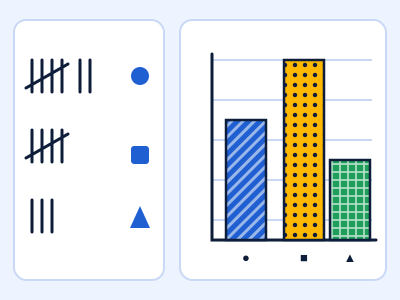
Field scouts report how many critters visited each spot as tally marks. Read the tallies, drag, tap or use the arrow keys to set each bar to the right height on a scaled graph, then answer questions that compare the bars. Levels move from single-step graphs to scales of 2 and 5, then to half-step scales with two-step questions.
Play Critter SurveyFree. No signup. About 6 minutes per round.
What kids practise
Critter Survey gives students repeated, low-pressure practice with bar graphs, tally marks, data, scaled graphs, and comparing quantities. It is written for grades 2-5, with levels that let younger and older players start at the right difficulty. Every question is generated fresh, so a replay is never the same, and a wrong answer shows the correct one so the round teaches as well as tests.
How it plays
Controls: Drag a bar, tap in its column, or focus it with Tab and use Up/Down arrows (PageUp/PageDown move a full scale step). Enter checks the graph, 1-4 pick an answer, P pauses, M mutes.
It works with a keyboard, a trackpad or a touch screen, so it runs on school Chromebooks, tablets and phones.
Standards
Common Core State Standards for Mathematics this game supports:
- 2.MD.D.10
- 3.MD.B.3
For teachers
- Time: about 6 minutes per round, good for a warm-up or a center.
- Works on Chromebooks. No login, no accounts, and no personal data is collected.
- Share the page link
https://mathschools.net/play/bar-graph-builder.htmlwith your class.