College Placement Math Sprint: Placement Test Practice Game for Grades 9‑college
Run laps of the arithmetic and algebra skills that placement tests check.
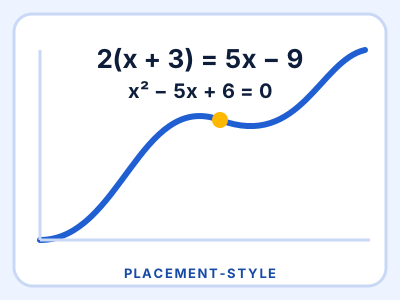
A placement-style math practice sprint for students heading into college math. Freshly generated questions cover fraction arithmetic, percents, linear equations, exponent rules, factoring, quadratic equations, systems, function evaluation and composition, slope and intercepts, parallel and perpendicular lines, simplifying radicals, absolute value inequalities and rational expressions. Choose Arithmetic and Algebra Basics, College Algebra Placement or Precalculus Readiness, play timed (pace bar, three lives) or untimed (12 questions, no clock), and read a worked explanation after every miss. All questions are original and every answer is checked in code; not affiliated with or endorsed by any testing organization (names such as Accuplacer, PERT or CLEP are used only to describe the style of practice).
Play College Placement Math SprintFree. No signup. About 8 minutes per round.
Practice questions are original. SAT, ACT and other test names belong to their owners; MathSchools is not affiliated with or endorsed by them.
What you practise
College Placement Math Sprint gives students repeated, low-pressure practice with placement test practice, college algebra, fractions, percents, linear equations, factoring, quadratic equations, systems of equations, functions, radicals, absolute value, and exponent rules. It is written for grades 9-college, with levels that let younger and older players start at the right difficulty. Every question is generated fresh, so a replay is never the same, and a wrong answer shows the correct one so the round teaches as well as tests.
How it plays
Controls: Pick Timed or Untimed, then a level. Tap an answer or press 1-4. On a type-in question, type a whole number, a fraction like -7/3 or a decimal and press Enter. After a miss, press Enter or the Next button. P or Esc pauses (timed), M mutes.
It works with a keyboard, a trackpad or a touch screen, so it runs on school Chromebooks, tablets and phones.
For teachers
- Time: about 8 minutes per round, good for a warm-up or a center.
- Works on Chromebooks. No login, no accounts, and no personal data is collected.
- Share the page link
https://mathschools.net/play/college-placement-math-sprint.htmlwith your class.
More games
Florida Algebra 1 EOC Sprint
Race 15 original Algebra 1 questions to the finish line, with water stations and worked solutions.
Grades 8-10 8 min
SAT-Style Algebra Sprint
Run laps of fresh algebra, percent and data questions against the pace clock.
Grades 9-12 8 min
Geometry & Trig Sprint (ACT-style practice)
Race the clock through five-choice geometry, trig, function and probability questions.
Grades 9-12 6 min